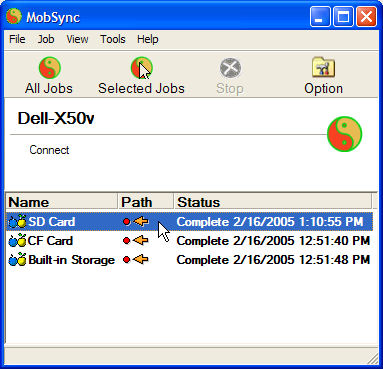
Hello. I have started using MobSync to backup data on my Pocket PC (CE). I use it to backup the data in Built-in Storage, the data on my SD card, and the data on my CF card of my X50v. While there are many options, I thought I would show you how I have it configured for my needs.
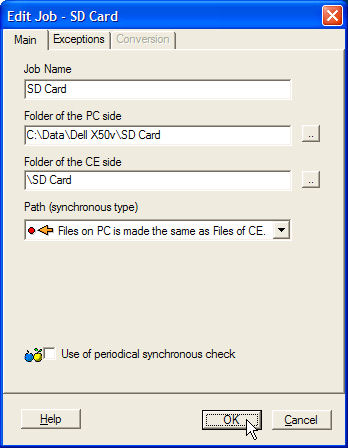
I have created three different jobs. One for the SD card.
Here are the main settings for the SD card. I have made no exceptions.
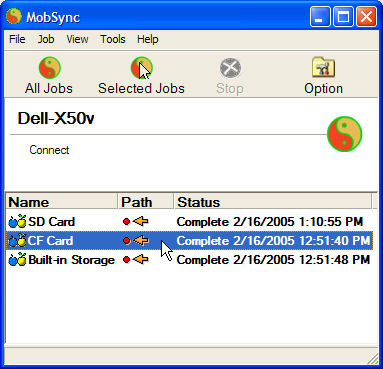
The second job is for the CF card.
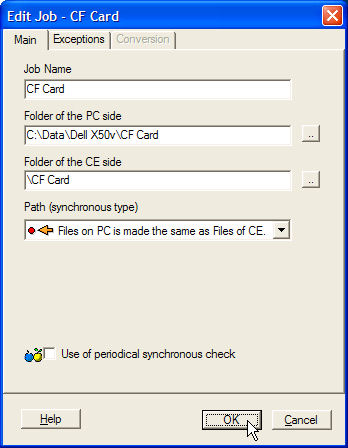
Here are the main settings for the CF card.
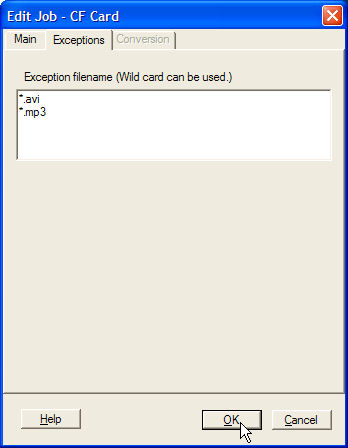
Since I use my CF card primarily for audio and video, I did include some exceptions.
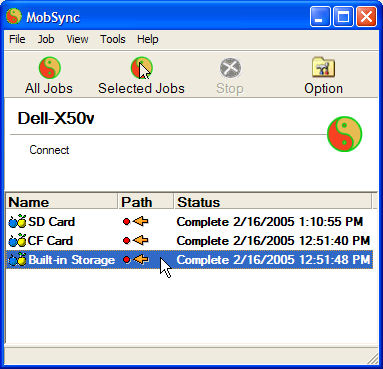
The third job is for the Built-in Storage.
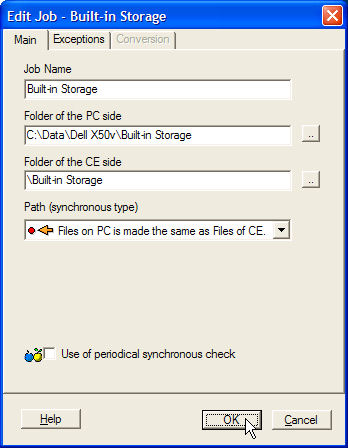
Here are the main settings for the Built-in Storage. I have made no exceptions.
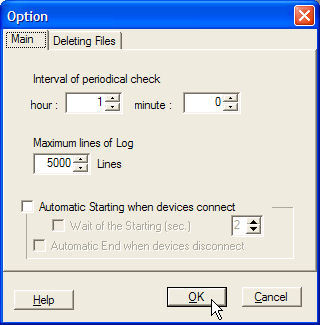
There are some general options for all jobs if you click on Options on the main screen.
Main options. In order to use a periodical check, you have to have this option enabled on the jobs you want to periodically check. The option is "Use of periodical synchronous check" under the main settings for the job.
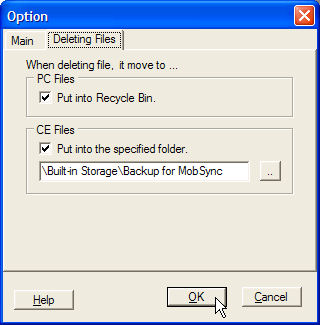
This explains what happens to files that are deleted on the PC and/or the Pocket PC device (CE).
Best regards,
Lance
<%
End Sub
%>